Fewer false double triggers
Substantially reduced duplicate detections on low notes, so one played attack is less likely to be counted twice.

NW / Product 002
See your timing.
Enjoy the next take.
A major evolution of the original TimingJudge. Improved guitar onset detection, hands-on timing review, and a completely reimagined watercolor practice experience.

01 / In practice
A short performance demonstration, with the plugin's score and timing feedback alongside the playing.
About 15 seconds. Press play to watch with sound. The demonstration shows guitar playing alongside scrolling notation, note judgements and Combo feedback; it is not an accuracy benchmark.
Open the video directly02 / The next chapter
Arcade builds on the original TimingJudge with five improvements at the heart of the practice experience.
Substantially reduced duplicate detections on low notes, so one played attack is less likely to be counted twice.
Refined detection of individual note attacks, including isolated, one-shot notes.
Add, move or remove detected onsets in the waveform editor and recalculate the result. Your original detection data stays intact.
Follow a continuous horizontal score with staff and TAB views, note colouring and dedicated notation zoom.
Improved detection of note onsets within legato passages. Timing feedback does not grade pitch accuracy or playing technique.
Detection improvements reflect the developer's testing against the original TimingJudge. Results vary with your guitar, input level, playing and setup.
03 / A closer look
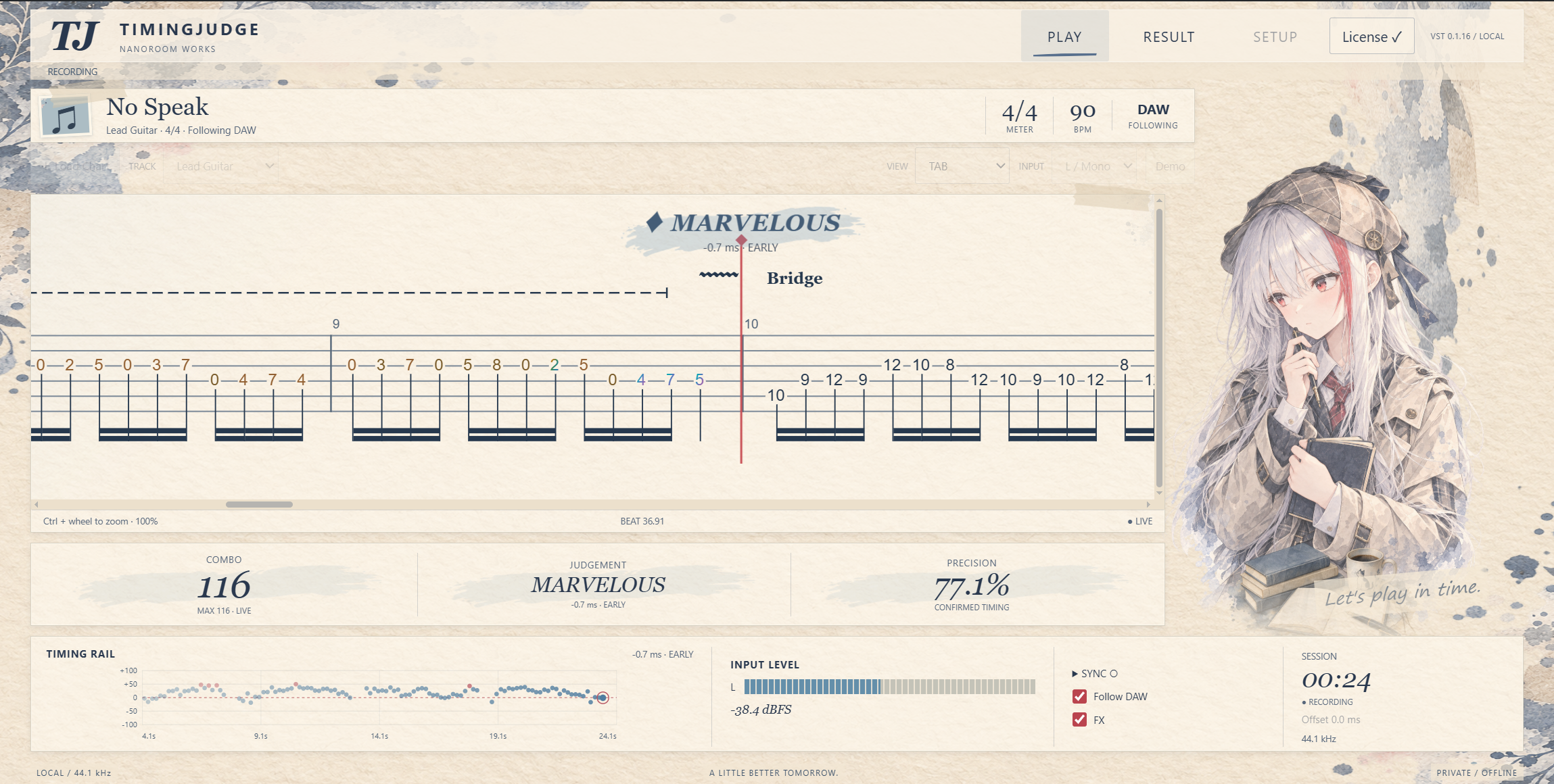
Follow your TAB while note judgements, Combo and the timing rail show how the take is unfolding.

Review the timing distribution, score, average error and covered portion of your take.
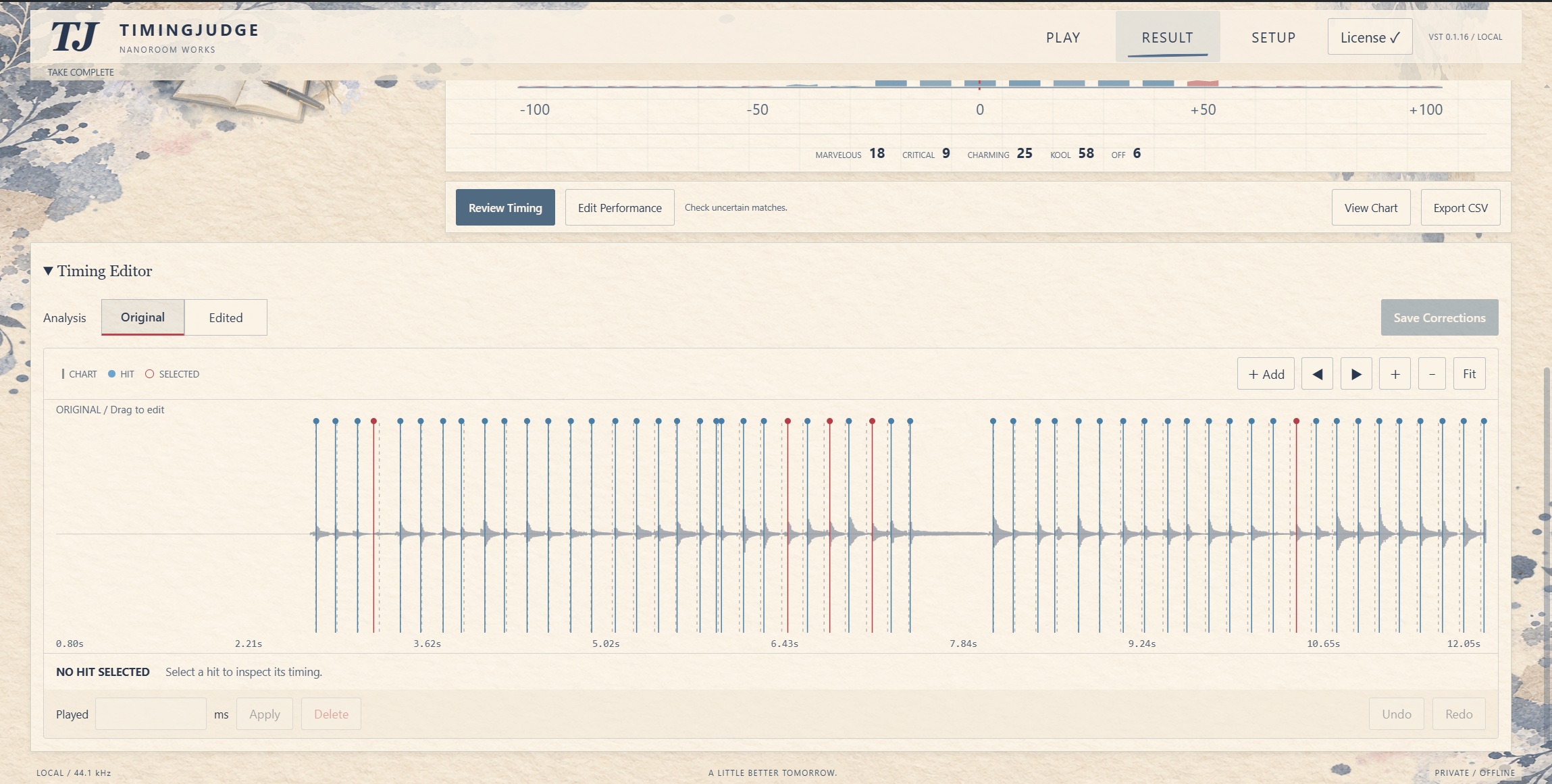
Inspect the waveform, correct a missed or misplaced onset, and keep original and edited results separate.

CHECK MATCH flags a result that deserves review. Detection can make mistakes; the editor lets you investigate them.
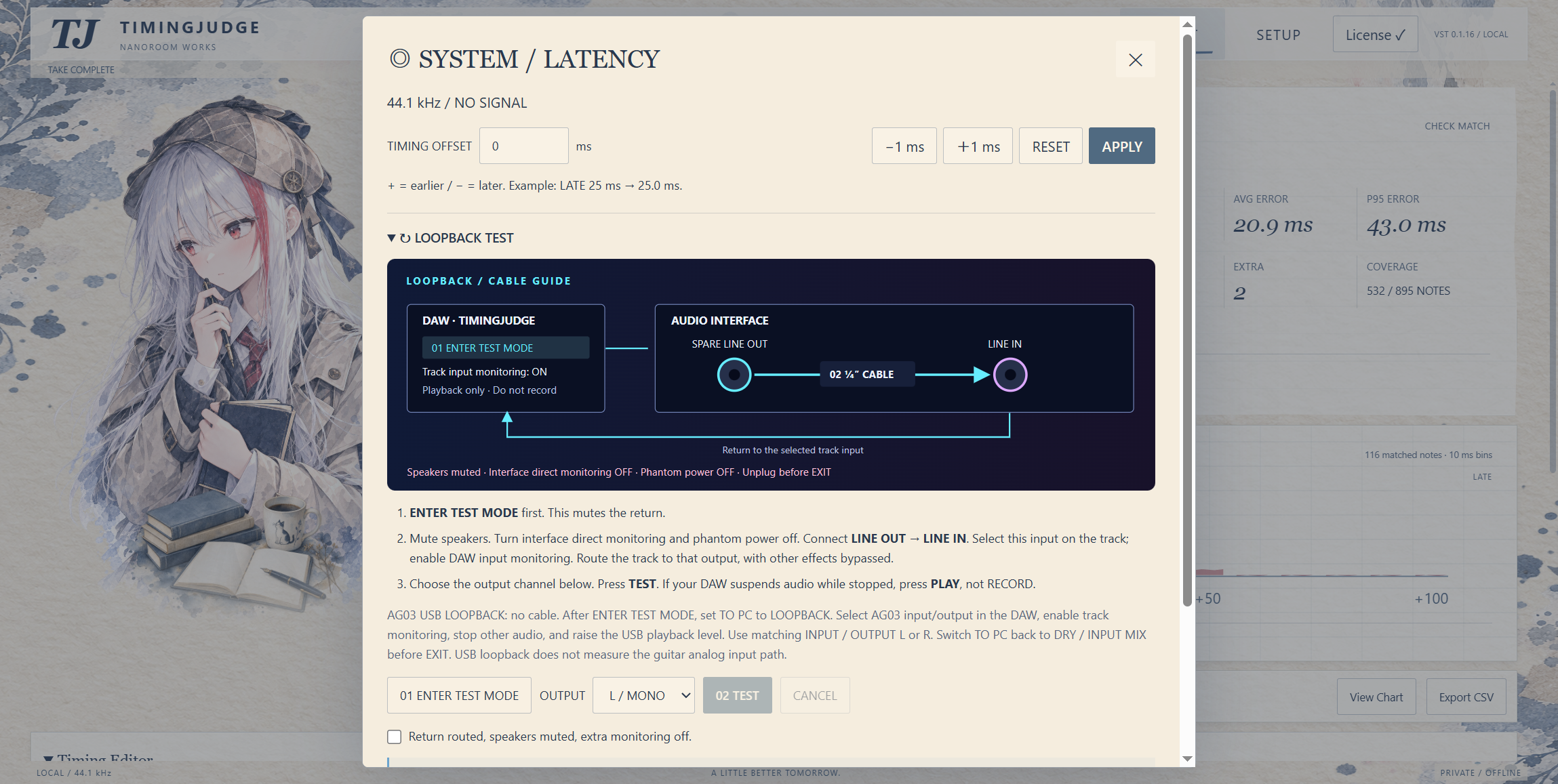
Adjust the timing offset or use the guided loopback test. Calibration depends on your interface and audio routing.
Screenshots from Arcade Alpha 0.1.16. Open an image to inspect it at full size. Scores shown are individual take results, not a measure of detector accuracy.
04 / Your practice session
Insert Arcade on a clean guitar DI track, before your amp simulator or distortion. Select the correct input.
Import a supported Guitar Pro or MusicXML score, choose the track, then align it with the DAW and set your timing offset.
DAW PLAY or RECORD starts a take. Stop to see the result, inspect the waveform and save any corrections.
05 / Before you start
Audio analysis, takes and scores stay on your computer. Activation does not upload your audio or scores.
Made by NANOROOM WORKS
Get TimingJudge Arcade on KVR Audio and make your next practice session a little clearer.
US$14.99. Your activation key will be emailed within 24 hours of purchase.